Application Domain Setup
This guide details how to set up a domain for your application.
Create DNS Record
- Add an
Arecord to your DNS settings:- Name: Enter the route you want to point to (e.g.,
appforapp.yourdomain.com). - Value: Type in the IP address of your server, such as
1.2.3.4.
- Name: Enter the route you want to point to (e.g.,
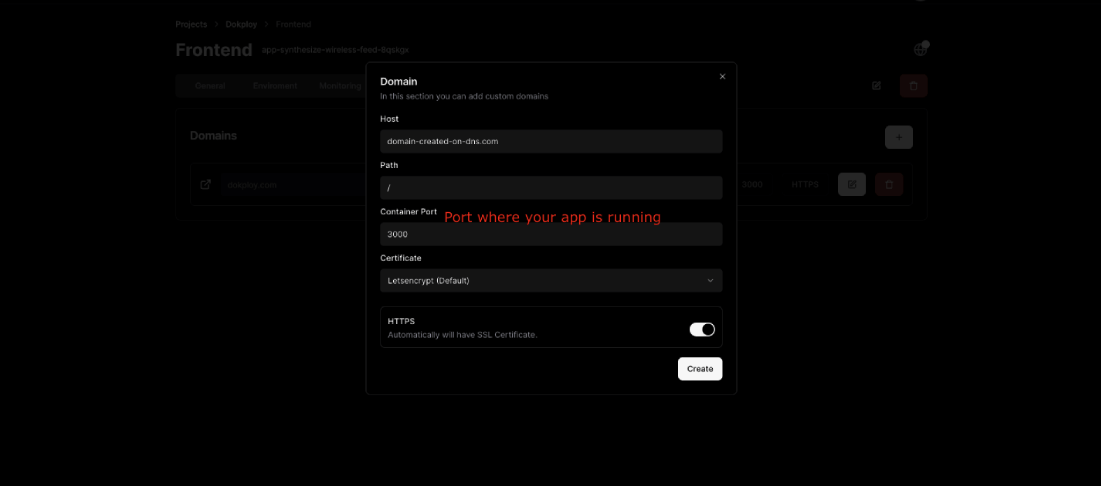
Application Domain Setup
- Navigate to your application's dashboard.
- Go to the
Domainstab and click onAdd Domain. - Enter the DNS record you created in the previous step (e.g.,
app.yourdomain.com). - Make sure to assign the right container port (e.g., NextJS:
3000). - Choose your certificate option:
NoneLet's Encrypt
For detailed instructions on setting up certificates, refer to the Certificates documentation.